
Table of Contents
Overview #
The WooCommerce Shipping Methods by Min/Max Order Amount plugin allows you to set minimum and/or maximum order amounts for shipping methods to be displayed on your WooCommerce site. If you want to set different minimum and maximum order amounts for your shipping methods for different zones, use shipping instances.
How to Enable Shipping Methods by Min/Max Order Amount in WooCommerce? #
To enable and use the Shipping Methods by Min/Max Order Amount plugin, you should first download and install Booster for WooCommerce.
- Navigate to WordPress Dashboard > Booster > Plugins page.
- Go to the SHIPPING & ORDERS category.
- Select Enable for the Shipping Methods by Min/Max Order Amount plugin and click Save Changes.
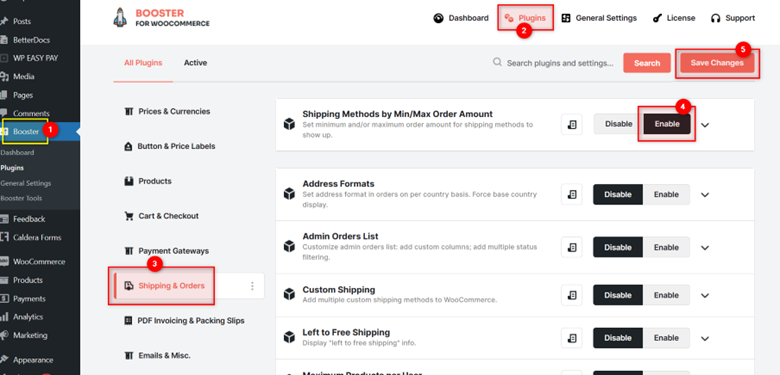
The WooCommerce Shipping Methods by Min/Max Order Amount plugin will be enabled for your site.
General Options #
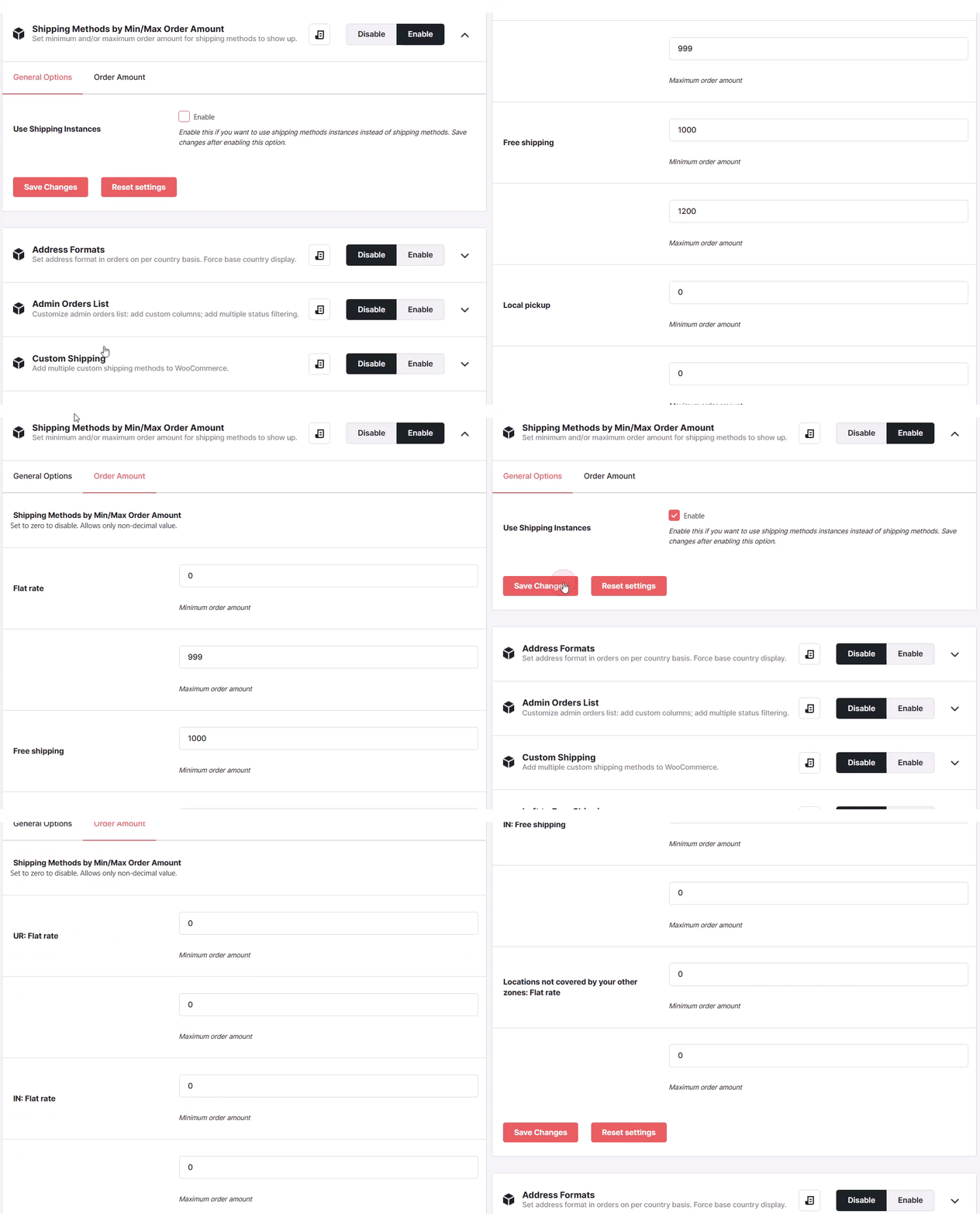
- If you want to use shipping methods instances (shipping methods by shipping zones) instead of shipping methods, check the box for Enable field for the option Use Shipping Instances.
- Click the Save Changes button. It will change the options available in the Order Amount tab accordingly.
Order Amount #
- Enter the minimum and maximum order amounts for the shipping methods or shipping instances.
- Click Save Changes.
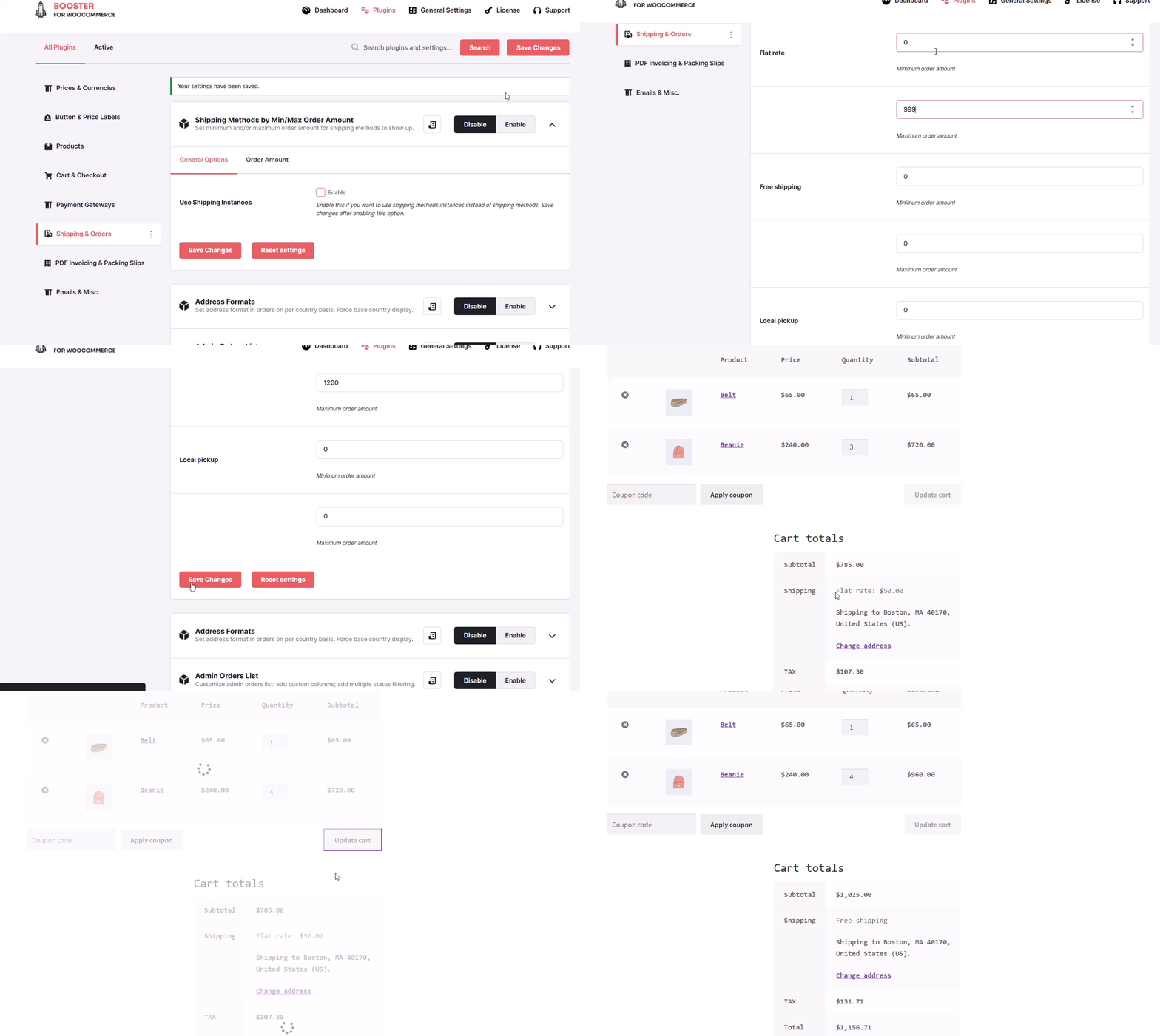
Now, the shipping method/instance for the customers will be applied as per the minimum and maximum order quantity set by you for your WooCommerce store.


