
Description
Know which orders need attention before customers have to ask
Order Health turns delayed WooCommerce orders into a focused, explainable queue: how long each order has waited, why it was flagged, and the safest merchant review available.

One dashboard, clear next steps
Move from “something looks stuck” to a safe decision
See what needs attention
Focus on active orders that crossed clear aging thresholds instead of scanning every order manually.
Understand the reason
Read a deterministic payment, fulfillment, configuration, or incomplete-workflow signal instead of a black-box score.
Choose a safe review
Open the order, verify payment, review fulfillment, or inspect the workflow—with no automatic order changes.
Clear package boundary
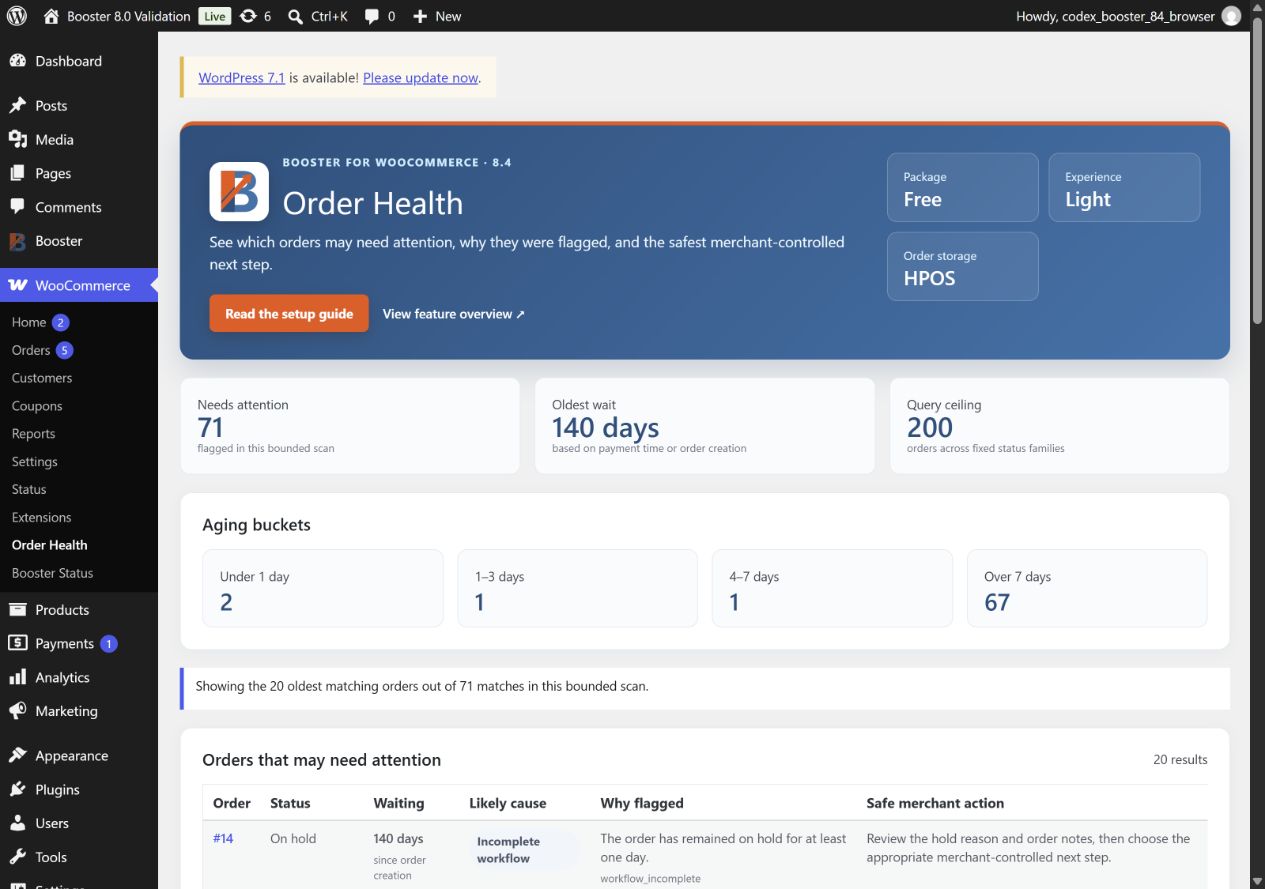
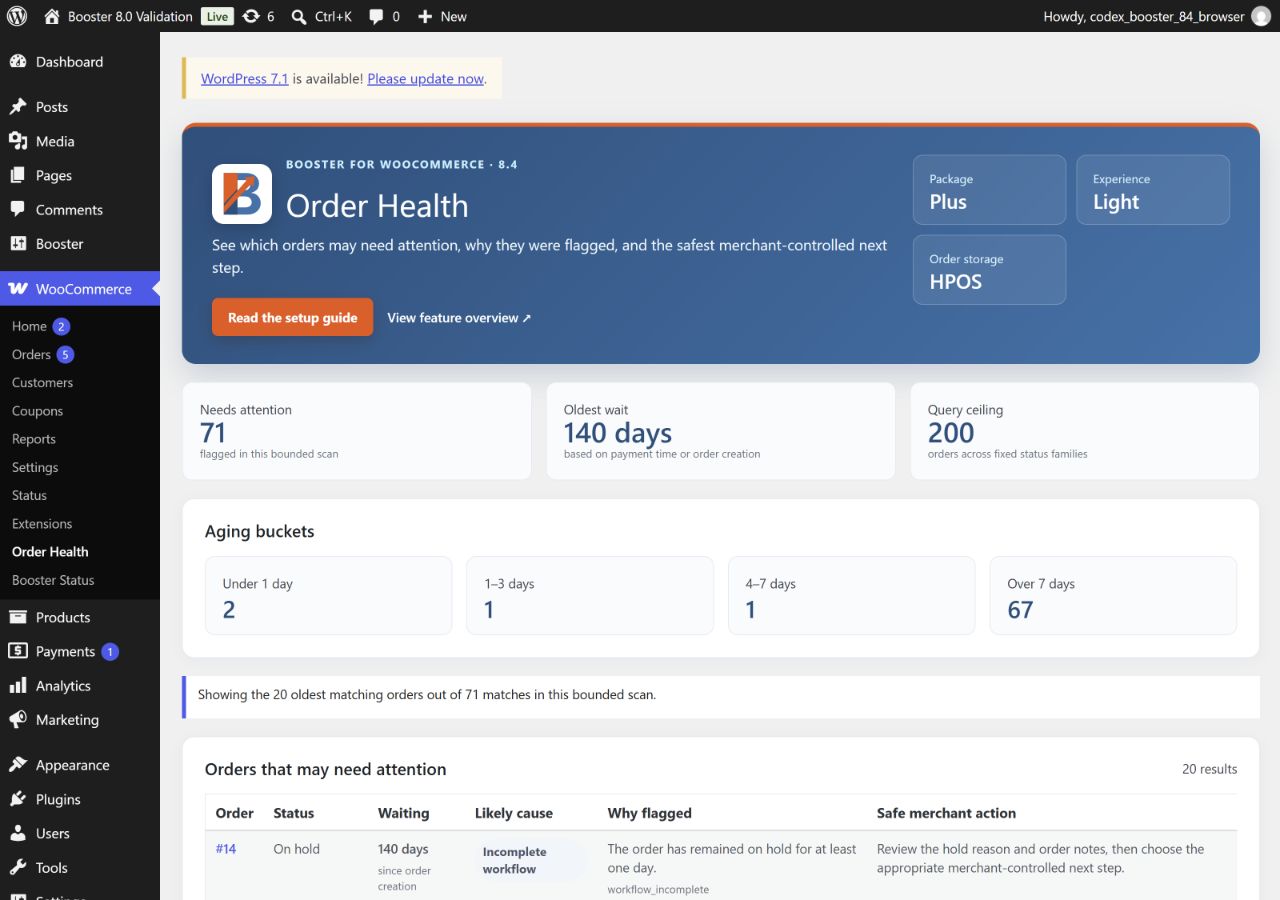
Free and Plus get Order Health Light. Elite gets the complete experience.
Free remains the top-of-funnel package. Plus keeps the same minimum new-feature parity for existing legacy customers. Elite is the only tier with the complete Order Health experience.
Order Health Light
- Core failed, pending, processing, and on-hold delay signals.
- Aging buckets and conservative merchant guidance.
- Bounded scan of up to 200 candidates and a 20-row view.
Order Health Light
- The same Light capability maintained for legacy Plus customers.
- HPOS and legacy-storage support.
- No Elite filters, advanced reasons, Briefing, or Ability.
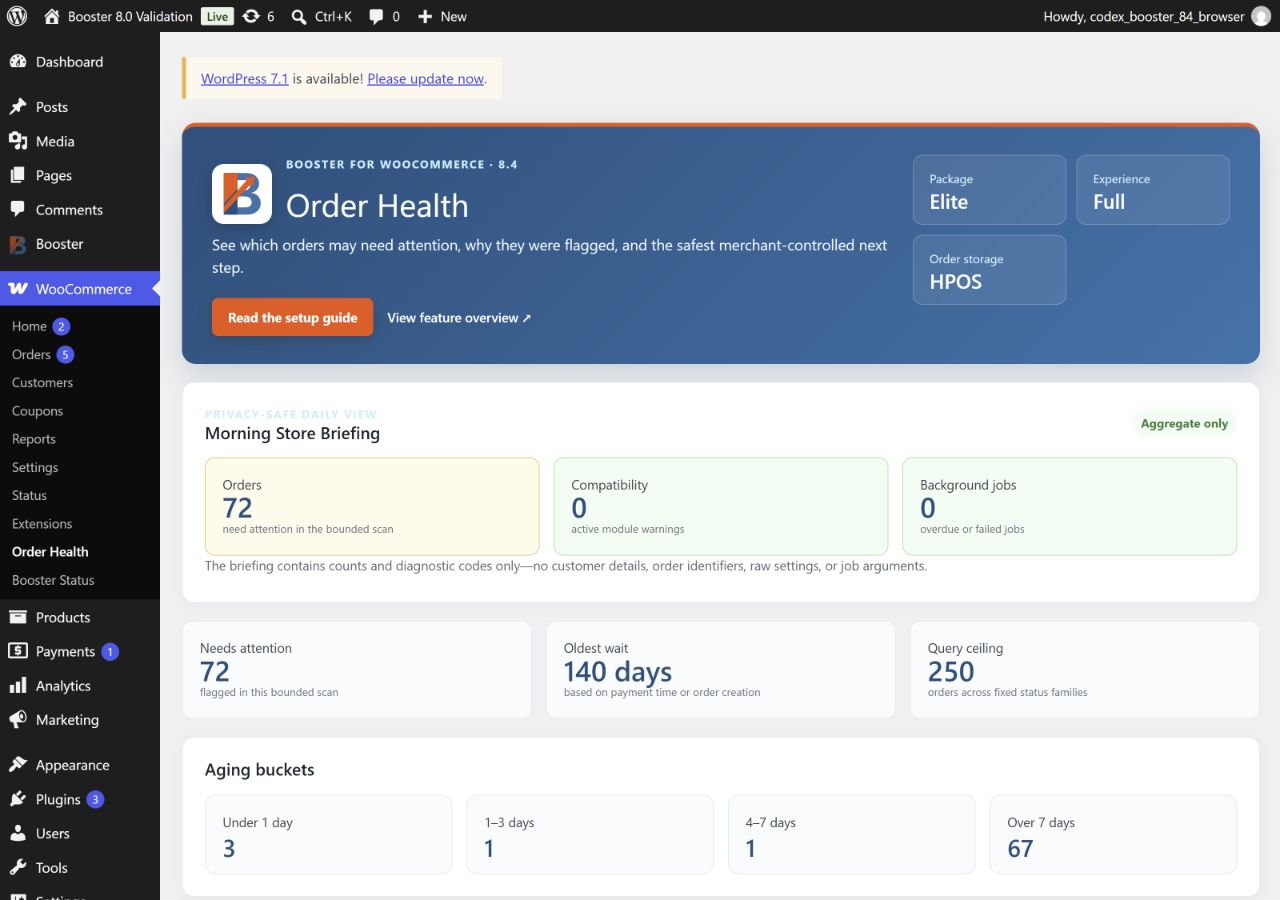
Order Health Full
- Health-family, aging, and search filters.
- Custom-status and partial-refund signals.
- Morning Store Briefing and read-only summary Ability.
- Up to 250 candidates and a 50-row view.
Built for real WooCommerce stores
Reliable across storage and order transitions
- HPOS and legacy order-storage parity.
- Deterministic handling of active and terminal statuses.
- Bounded queries that avoid unlimited store-wide scans.
- Advanced refund and custom-status signals reserved for Elite Full.
Order Health does not change statuses, issue refunds, contact customers, or make AI-generated business decisions. The merchant remains in control.
Choose the right 8.4 experience
Start with Light. Move to Elite for the complete operational view.
Use the setup guide for the exact workflow and safety boundaries in each package, or compare Free and Elite before choosing a plan.
- Order Health Light: Booster Free and Plus 8.4; Order Health Full: Booster Elite 8.4
 WooCommerce 11.0.1 and
  WordPress 7.0.6