

Description
Booster Wishlist for WooCommerce is a highly effective module developed for assisting online customers to save their wishes for future lists.
This module enables customers to save their future basket items at one place.
WooCommerce Wishlist
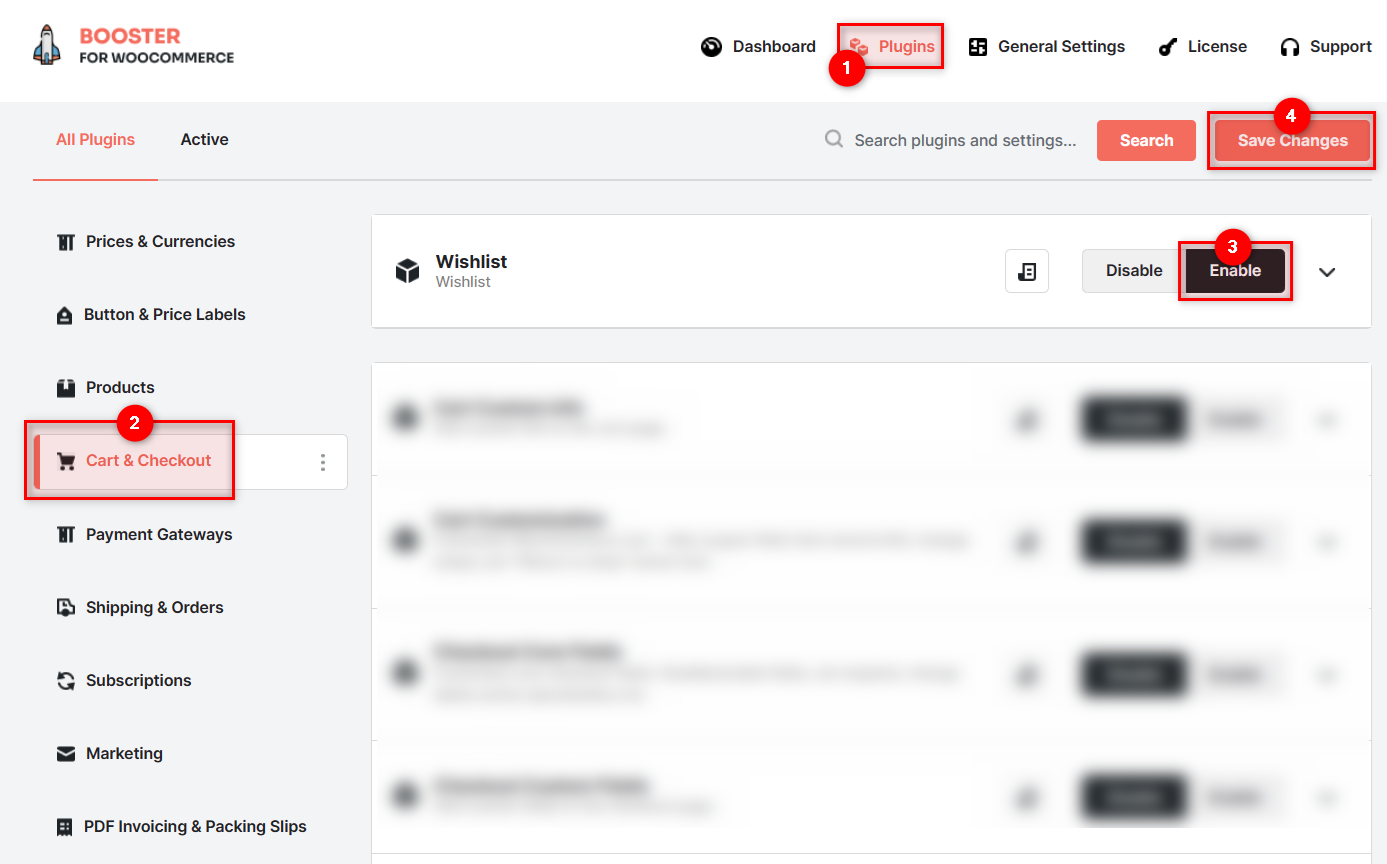
Available in Booster Elite Bundle. Please check the main Enable Module checkbox to enable the feature.
Wishlist options for Category / Shop page
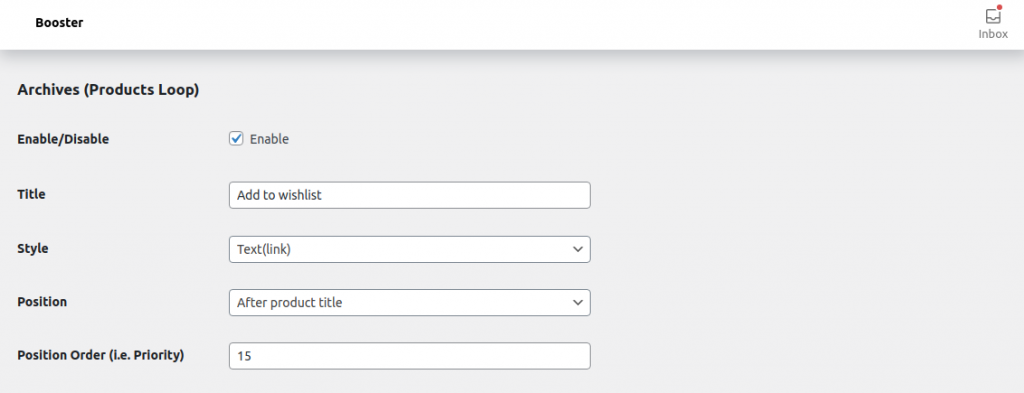
- Enable / Disable
-
- Default:
yes
- Default:
- Title
- Add your custom label for Button or link. i.e. Add to Wishlist, Add to favourites etc.
- Style
- Select the appereance type for wishlist feature. Possible values: Button; Text(Link).
- Default:
Text(link)
- Default:
- Position
- Select the position for your wishlist button/link. Possible values: Button; Text(Link).
- Default:
Text(link)
- Default:
- Position Order
- Sets the position or priority of the wishlist button or link.
- Default:
15
- Default:
Wishlist options for Product page
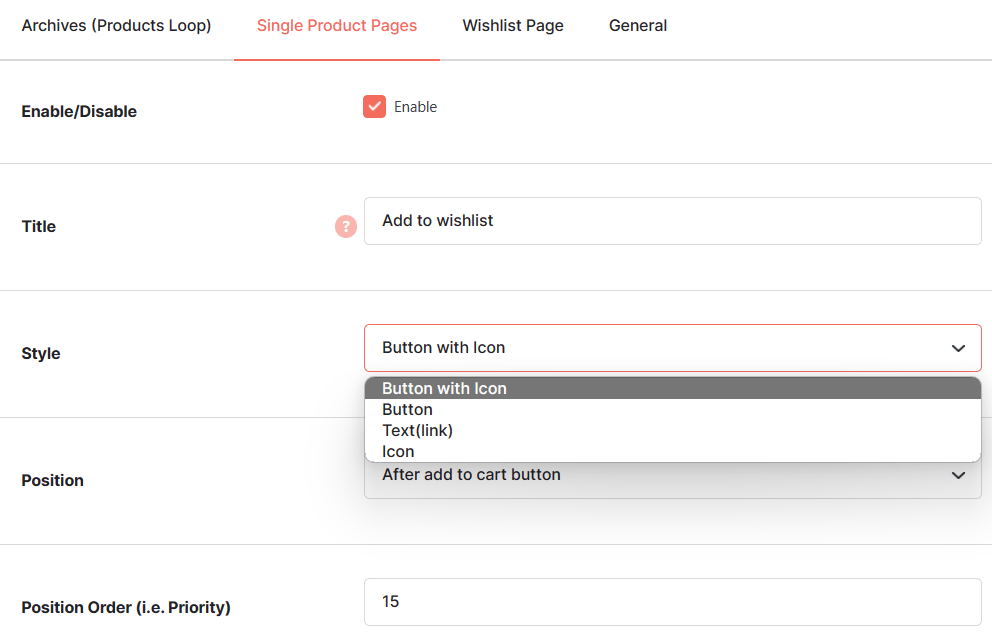
- Enable / Disable
-
- Default:
yes
- Default:
- Title
- Add your custom label for Button or link. i.e. Add to Wishlist, Add to favourites etc.
- Style
- Select the appereance type for wishlist feature. Possible values: Button; Text(Link).
- Default:
Text(link)
- Default:
- Position
- Select the position for your wishlist button/link. Possible values: Button; Text(Link).
- Default:
Text(link)
- Default:
- Position Order
- Sets the position or priority of the wishlist button or link.
- Default:
15
- Default:
Wishlist page Link
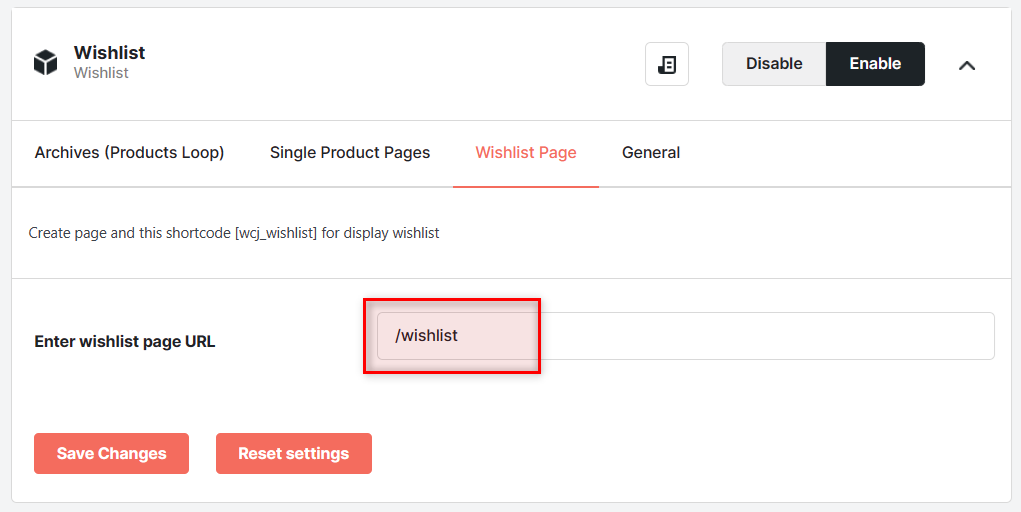
- Enter wishlist page URL
- Add your custom wishlist page link here so that customers can access all wishlist items on this page.
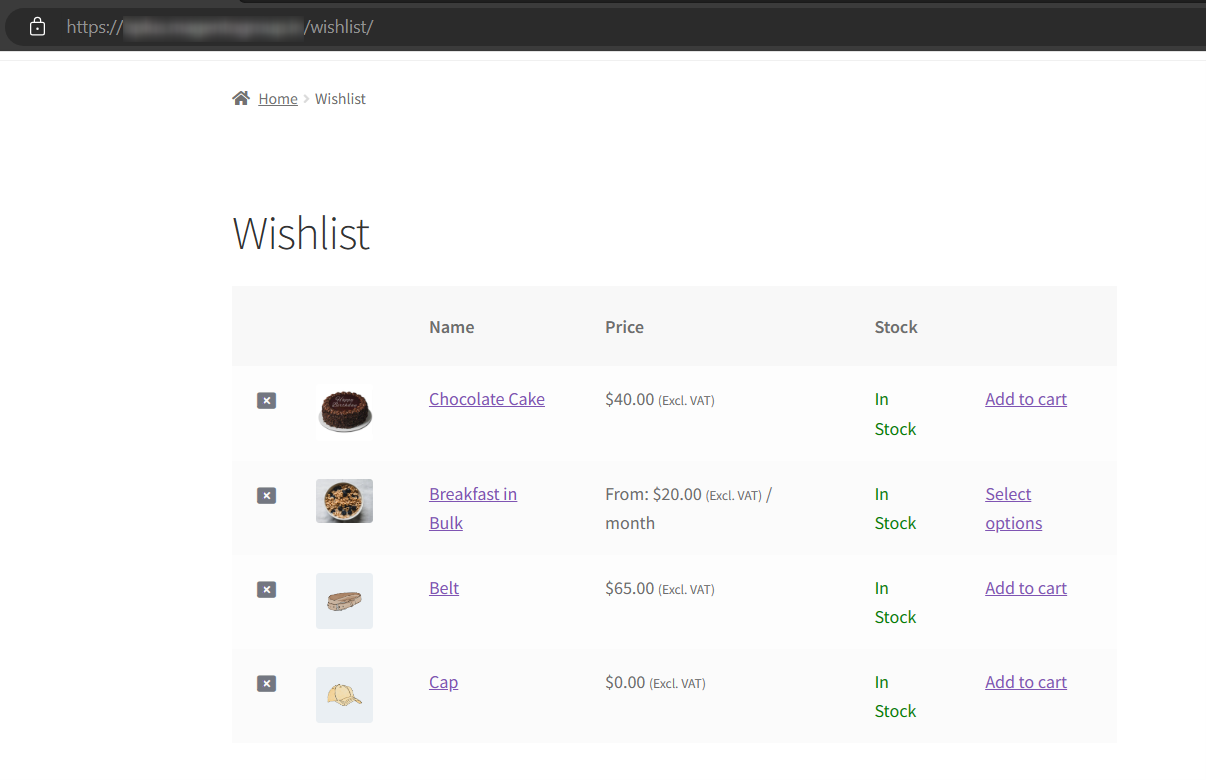
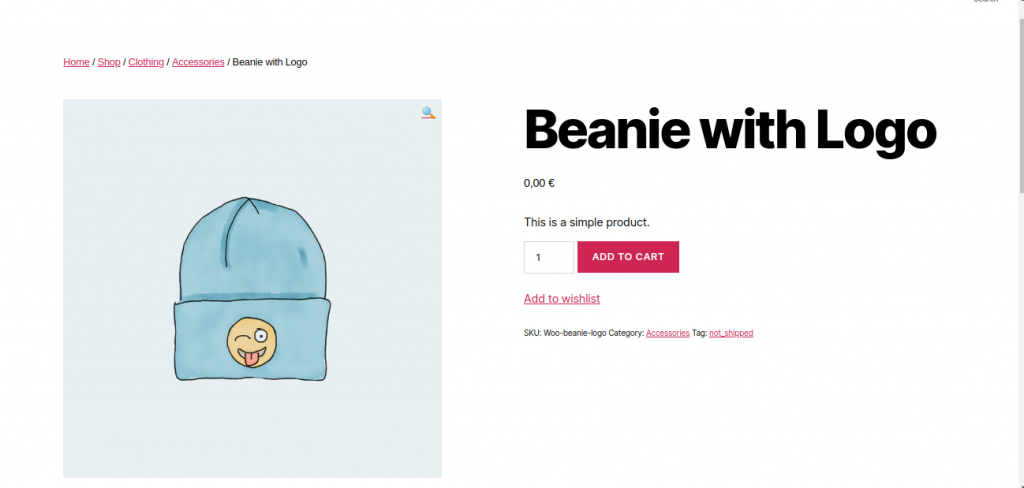
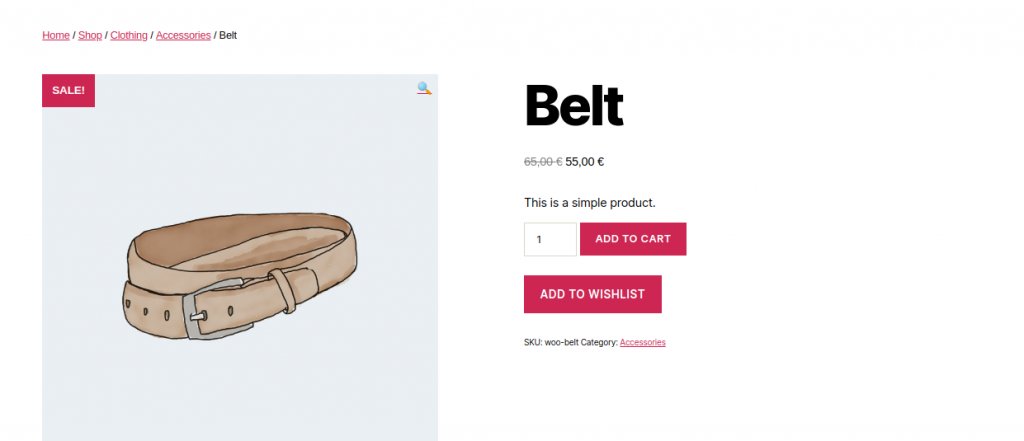
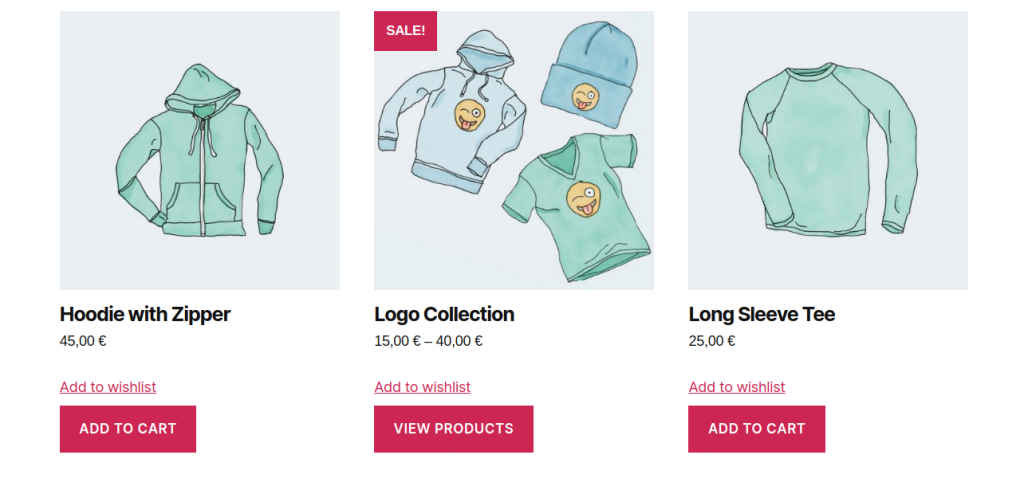
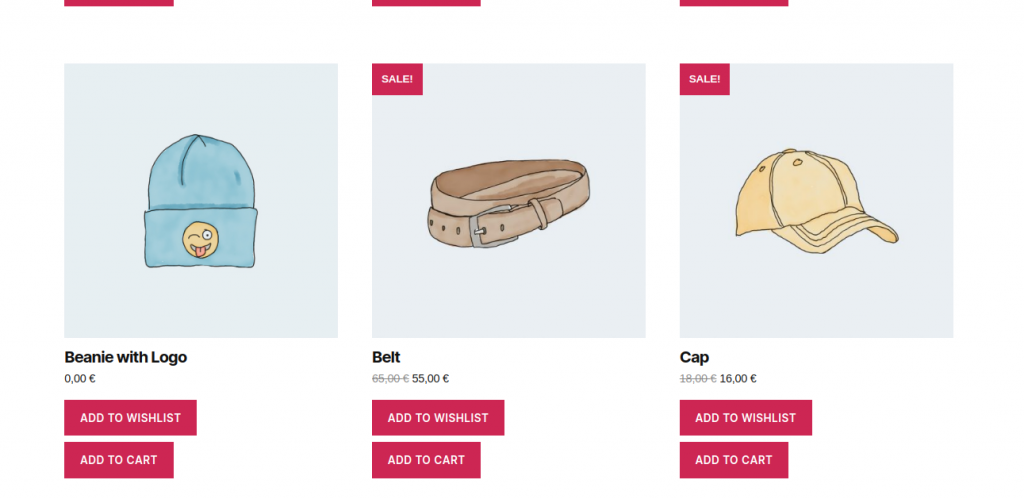
How it will look on your store?
Wishlist Page:
Product Page:
Shop Page:
Accessible through:
- WooCommerce > Settings > Booster > Cart & Checkout > Wishlist for WooCommerce
 WooCommerce 11.0.1 and
  WordPress 7.0.4