

Description
Change your Add to Cart button text by WooCommerce product type, category or for individual products. Quickly and easily change the “Add to Cart” button text for your WooCommerce store to something that suits your business or personality! If WooCommerce Add to Cart Labels module enabled, you can change this text:
- per product,
- per product category, or
- per product type.
Changing the button text by Product Category
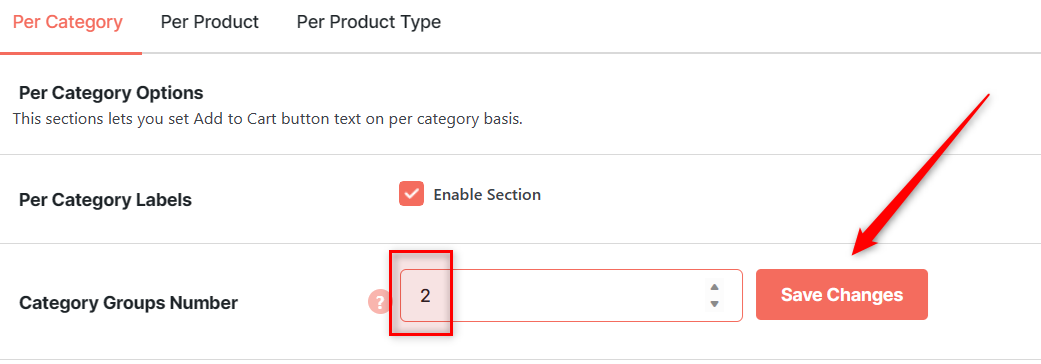
To set the “Add to Cart” button text on a per-category basis:
- Set the number of label groups you want the new button text to appear on (“Category Groups Number”) and save changes.
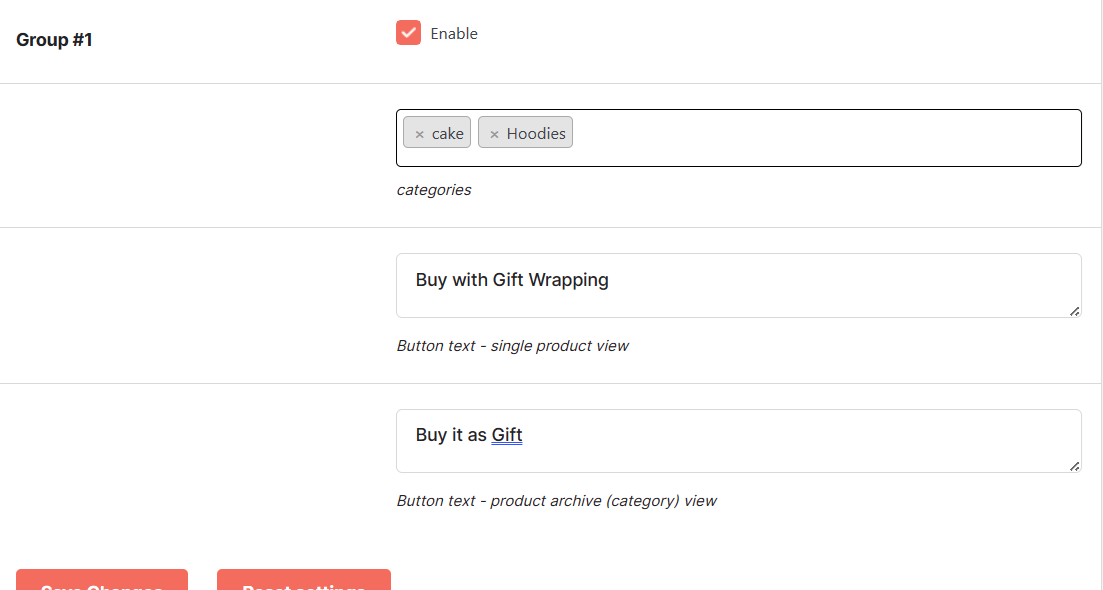
- Select your corresponding product categories.
- Enter the new text you want your button to read in the “Button text” field.
Changing the button text for each individual product
To set the “Add to Cart” button text on a per-product basis:
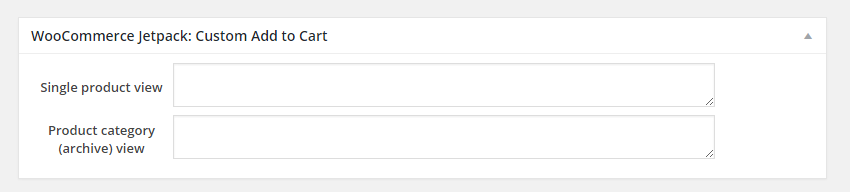
- Enable the Per Product section and save the changes.
- Go to “Products” screen and select any product to “Edit”.
Changing the button text by Product Type
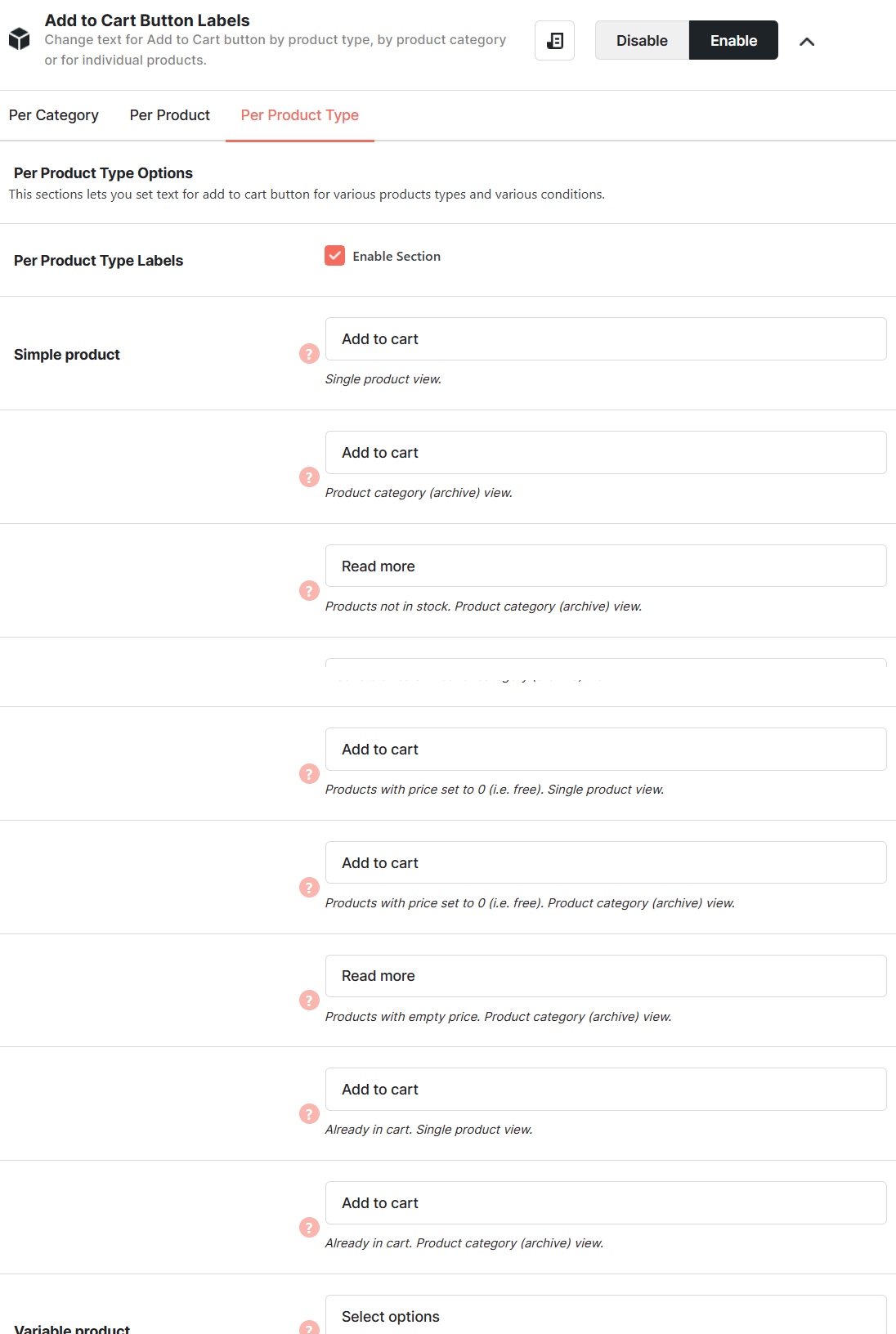
- Change the “Add to Cart” text on each product’s page and the product category/archives
- Display “Already in Cart” instead of “Add to Cart” button if the current product is already in the cart.
- Set custom button text for products with a free or empty price.
- Change the button text for any WooCommerce product type:
- Simple
- Variable
- External
- Grouped
- Other


Accessible through:
- WooCommerce > Settings > Booster > Price & Button Labels > Add to Cart Labels for WooCommerce
 WooCommerce 11.0.1 and
  WordPress 7.0.4