---
title: Shipping Descriptions For WooCommerce plugin
description: "## Overview The **WooCommerce Shipping Descriptions **plugin allows you to add text descriptions for various shipping methods. The descriptions that are added using the plugin will be displayed on the cart and/or checkout pages. You have the privilege to decide this description’s…"
url: "https://booster.io/docs/woocommerce-shipping-descriptions/"
updated: "2025-10-08"
category: "Shipping & Orders"
---
# Shipping Descriptions For WooCommerce plugin
## Overview
The **WooCommerce Shipping Descriptions **plugin allows you to add text descriptions for various shipping methods. The descriptions that are added using the plugin will be displayed on the cart and/or checkout pages. You have the privilege to decide this description’s position on these pages while using our plugin.
## Enabling Shipping Descriptions for WooCommerce
To enable and use the Shipping Descriptions plugin, you should first download and install [Booster for WooCommerce](https://wordpress.org/plugins/woocommerce-jetpack/).
1. Navigate to **WordPress Dashboard** > **Booster** > **Plugins > SHIPPING & ORDERS.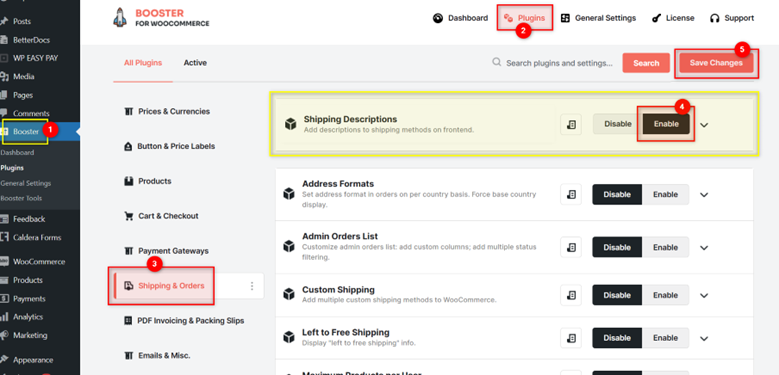**
2. Select **Enable** as your option for the **Shipping Descriptions **plugin.
3. Click **Save Changes**.
The **WooCommerce Shipping Descriptions **plugin will be enabled for your site.
## Configuring Shipping Descriptions Settings
### General Options
You can add descriptions for various shipping methods that will be displayed on the cart and checkout pages from this tab. Select the **Description Visibility **accordingly.
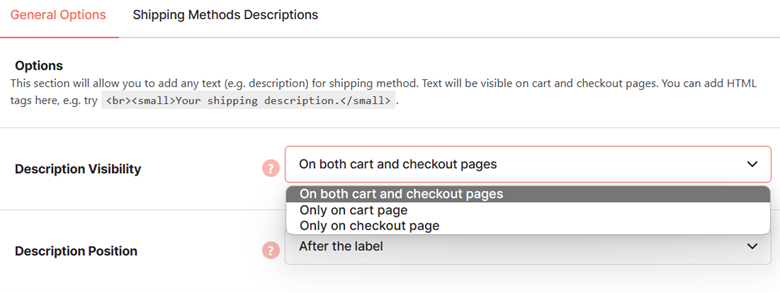
Next, choose the **Description Position** for the shipping descriptions. You can place it before, after, or instead of the label.

### Shipping Method Descriptions
Choose if you want to display shipping descriptions for each shipping method or if you want to keep it different for each instance (each combination of Shipping Zone and method in your shop).
**Enable** or **Disable** the **Use Shipping Instances **option accordingly.
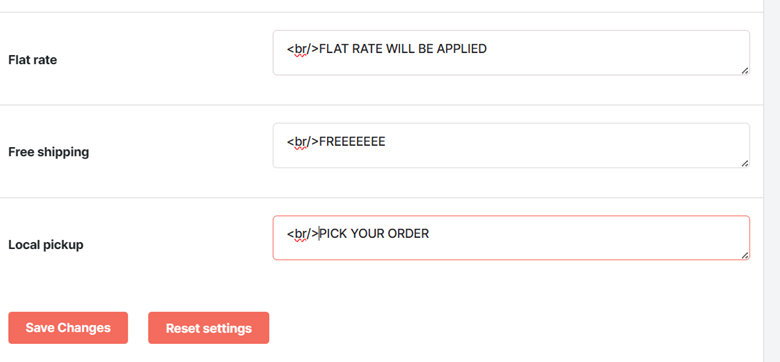
Next, enter **shipping descriptions **for the fields below.
You can use HTML tags to add descriptions. Example:
Your shipping description.
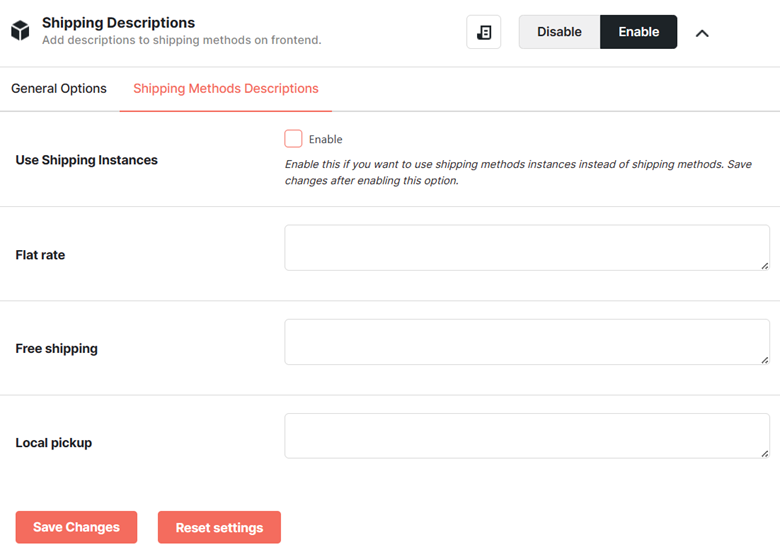
Enter/select the required values for the fields. Refer to the table below for field descriptions:
| **Field** | **Description** |
| --- | --- |
| Description Visibility | Pages on which the description will be displayed |
| Description Position | Place on the cart and/or checkout pages where the description will be displayed |
| Use Shipping Instances Enable | Click Save Changes after enabling this option so that you can set different descriptions for all shipping instances (all combinations of Shipping Zones and Shipping methods in your WooCommerce Store) |
| Flat rate | Description will be displayed on the cart and/or checkout pages for flat rate products |
| Free shipping | The description that will be displayed on the cart and/or checkout pages for free shipping |
| Local pickup | The description that will be displayed on the cart and/or checkout pages for local pickup |
Click **Save Changes**.
The shipping descriptions in WooCommerce will be set for the shipping methods.
## Frontend Example
### Input
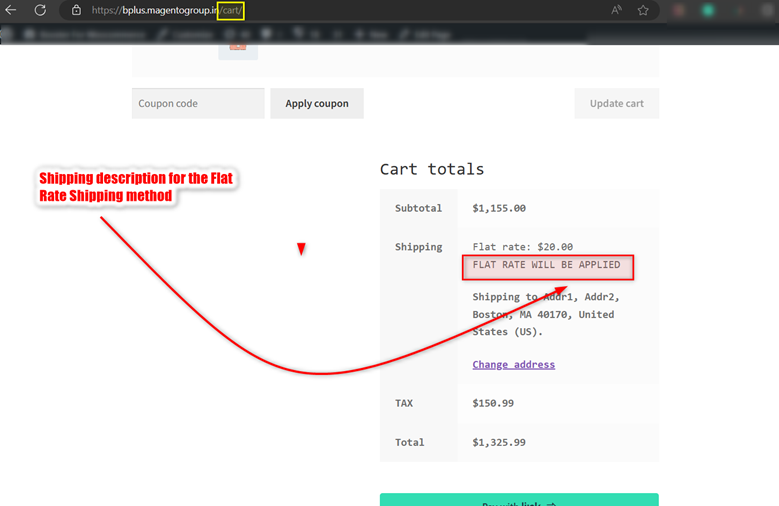
### Output (Cart Page)